


Toki Mahjong Games For Seniors
4.6496.00 Reviews
App Specs
- Version
- 1.3.0
- Updated On
- License
- Free
- Downloads
- 1,000,000+
- Developer
- Card Games, Inc
- Categories
- Board
- Platform
- Android
Screenshots
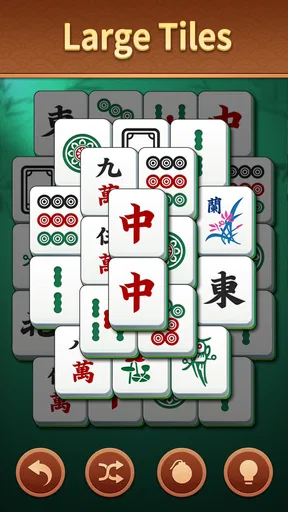
 Analysis by AppCompare
I usually think of Mahjong apps as quiet, personal games, but Toki Mahjong Games For Seniors works especially well as a shared-device choice. I can imagine leaving a tablet on a kitchen table, letting one person play a few boards after breakfast and another return to it later in the day. The game is built around matching large tiles, so the appeal is easy to understand: it offers a calm puzzle routine without the pressure of a timer, opponents, or a complicated story.
That simplicity is its strongest quality. Toki Mahjong is a free board game from Card Games, Inc, aimed at Everyone, and it is available for Android devices running at least Android 7.0. Its store summary presents it as a way to train the brain and relax, but I found the more useful description to be this: it is a gentle matching game for short sessions, particularly suitable when someone wants concentration without noise or social competition.
The game has attracted over a million installs and holds a 4.6 average from around 4.1 thousand ratings, with nearly 500 written reviews. Those figures suggest that it has found a broad audience, although they do not change the basic question I would ask before installing it: does the person using the device enjoy visual matching puzzles? If the answer is yes, the format is approachable. If they want a traditional Mahjong experience with four players, strategy, and a full scoring system, this is not the same thing.
How it fits into a shared household
The most convincing use case is a household with one Android tablet or phone that several people already use casually. A parent might play while waiting for an appointment, a grandparent might use it during a quiet afternoon, and another family member might pick it up for a quick break. Because the central task is immediately recognizable, nobody needs a long explanation before trying a board.
I would not treat it like a multiplayer family game, though. The matching-puzzle format is fundamentally individual. People can take turns using the same device, compare how far they got, or simply enjoy the same relaxing activity, but the app should not be presented as a shared match in which everyone participates at once. That distinction matters when choosing an app for a household: this is a common-device game, not a social table replacement.
For an everyday routine, I would keep the device in a comfortable position and use the game as a short mental break rather than a scheduled obligation. The large-tile presentation makes it more practical for someone who finds small mobile controls tiring, while the board format gives the player a clear visual task. I also like that the activity can be stopped naturally when attention drops; it does not require a long conversation, a team, or a fixed appointment.
There is a useful household trade-off here. A shared tablet makes the game easy to discover, but it also means the next player may encounter the previous player’s current state or preferences. I would agree on a simple routine before handing the device around: finish a board when possible, avoid changing settings for someone else, and return the tablet to its usual place. These are ordinary household habits rather than app features, but they make a shared puzzle much less frustrating.
Worth Reading Before You Choose

EA SPORTS FC Mobile 26 Is a Bigger Football Game, but It Takes Time

Flipboard Shows What News Apps Must Do Beyond the Feed

Switching to Android Auto Means Rethinking Your Driving Routine

Google Calendar Makes a Crowded Week Easier to Manage

Ludo King Makes the Most of the Minutes Between Plans

Baby Panda World Brings Quick Play to Modern Phones, but Its Game Library Feels Busy
What the first session feels like
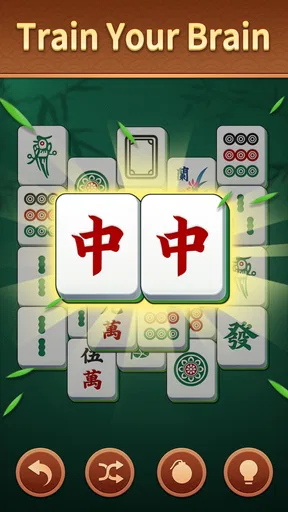
My first impression is that Toki Mahjong puts the visual puzzle ahead of ceremony. The large tiles are the important design choice, because they make the board easier to inspect than a cramped layout filled with tiny symbols. The player’s attention goes toward finding matching pairs and planning which tiles to remove, rather than learning an elaborate interface.
That makes it a good candidate for someone who is hesitant about mobile games. I would still sit beside a new player for the first few minutes, especially if they are not used to tapping tiles or navigating back to the game. Once the basic interaction is understood, the activity becomes self-contained. The player can look at the board, identify possibilities, and decide the pace without needing constant help.
The large-tile approach is not automatically perfect for every person. Bigger pieces can make a board feel less compact, and anyone who prefers dense, traditional-looking layouts may find the presentation less elegant. In my view, that is a sensible compromise for accessibility and comfort, but it is still a compromise. The game favors readability over the feeling of handling a classic Mahjong set.
Setting boundaries before sharing the device
Toki Mahjong is free to download and play, but it includes in-app purchases ranging from $0.99 to $49.99 per item. That is the detail I would discuss before placing it on a family tablet. A free game can still create an uncomfortable moment if several people use the same device and nobody knows whether purchases are allowed.
I would make the household rule explicit: either purchases are not permitted, or the person responsible for the device approves them first. This is particularly important when children or older relatives use the same tablet, not because the game is unsuitable for them—it carries an Everyone age rating—but because shared devices blur responsibility. The safest arrangement is to keep the payment decision with one adult and avoid treating the presence of a free download as permission to buy anything.
There is another boundary worth setting: progress and personal preferences should not be assumed to belong to everyone. If several people take turns, they may want to use different approaches or play at different speeds. Unless the app itself offers separate profiles, which I would not assume, the household should think of the device as hosting one shared play space. A separate device is the cleaner option for people who need clearly divided personal progress.
I also would not install it on an older phone without checking the operating-system requirement first. The minimum is Android 7.0, so compatible devices should be fine, but a device that struggles with general performance may not offer a pleasant experience even when it technically meets the requirement. For a shared tablet, screen comfort and battery condition matter just as much as compatibility.
Coordinating different players
Shared use works best when everyone understands what kind of game this is. One player may enjoy examining every possible move, while another may prefer quick matching and a relaxed rhythm. Neither approach is wrong, but they can clash when people are watching the same board. I would let the person holding the device make the decisions instead of having several people tap suggestions at once.
A practical routine is to give each person a quiet turn and discuss the board only when the player asks for help. This preserves the puzzle instead of turning it into a group instruction exercise. It also helps a less confident player build their own visual habits. When someone else points out every match, the game may be completed faster, but the mental challenge becomes less personal.
For older users, I would pay attention to lighting and viewing angle rather than assuming the large tiles solve everything. A bright room with glare can make symbols harder to distinguish, and a phone held too close can be tiring. A tablet placed on a stable surface may be more comfortable than a small handset, especially for a longer session. These are simple changes, but they influence whether the game feels relaxing or demanding.
Another useful arrangement is to keep a shared device dedicated to calm activities rather than constantly switching between games, messaging, and video. That reduces the chance that a player will accidentally leave the puzzle to search through unrelated apps. It also gives the activity a clearer place in the household routine. Toki Mahjong does not need to become a family event; it can simply be the game everyone knows how to open when they want a quiet moment.
Age, trust, and the meaning of “for seniors”
The senior-friendly angle makes sense mainly because of the large tiles and straightforward matching concept. I would recommend it to an older person who enjoys visual puzzles, wants a low-pressure activity, or is building confidence with a touchscreen. I would not recommend it solely because someone is older. Age does not tell me whether a player likes Mahjong-style matching, and some seniors will prefer word games, card games, or a more traditional Mahjong ruleset.
The Everyone rating is reassuring for a mixed-age household, but it should not replace supervision of device use. The important trust issue is not the puzzle content; it is who controls the device, purchases, and any account connected to the store. I would explain those boundaries clearly and avoid asking a less technical family member to manage payment prompts or unfamiliar account screens alone.
I also think the title’s senior focus should be treated as a usability suggestion rather than a promise that it will suit every visual or cognitive need. Large tiles can help with recognition, but they do not guarantee that every symbol will be comfortable for every player. Someone with significant visual difficulty may need a different type of game or a larger screen. Someone who finds matching boards repetitive may lose interest quickly, regardless of age.
Trust also means being honest about the game’s limits. I would not describe it as a medical exercise or claim that it produces a particular cognitive benefit. It can provide focused play and a pleasant mental routine, which is enough reason to enjoy it. For a family conversation, I would say that it is a puzzle for relaxation and attention, not a substitute for care, therapy, or meaningful social contact.
Where it beats traditional alternatives—and where it does not
Compared with a physical Mahjong set, Toki Mahjong is easier to store, quicker to start, and less demanding when a player wants to play alone. There is no need to clear a table, sort tiles, or find several people who know the rules. That makes it a strong choice for a short solo break or for someone who likes the appearance of Mahjong tiles but does not want a full tabletop session.
The physical set wins when touch, conversation, and shared presence are the point. A real set can support a social gathering in a way a solo matching board cannot. It also gives experienced players the weight, sound, and ritual they associate with Mahjong. I would choose the app for convenience and quiet practice, not as a replacement for a family game night.
Against other casual board or card apps, this one has a narrower identity. A solitaire-style card game may offer more familiar rules and a wider variety of decisions. A competitive Mahjong app may provide deeper strategy or online play. Toki Mahjong is better when the player wants a visually clear matching task with little setup. It is the weaker choice for anyone looking for opponents, chat, ranking systems, or a detailed lesson in formal Mahjong.
That narrow focus can actually be an advantage on a shared device. A complicated alternative may require profiles, tutorials, or explanations every time a new person tries it. Here, the household can agree on a simple handoff. The cost is variety: if one player wants a different challenge after a few sessions, the app may feel limited rather than comforting.
Small habits that make the puzzle more enjoyable
I found that the best way to approach a board is to slow down before tapping the first pair. Instead of removing the most obvious match immediately, I would scan for tiles that are blocking several others. This turns the activity from random matching into a modest planning exercise. It is a useful tip for players who finish boards but feel that they are simply reacting to whatever they notice first.
For a shared household, I would also avoid giving unsolicited hints too quickly. Letting someone search the board independently makes the session more satisfying and reveals which parts of the layout they find difficult. If help is needed, I would describe an area of the board rather than tap the answer immediately. That preserves some of the mental work and makes the game feel less like an assisted task.
Another practical insight is to use the game as a transition activity. Ten quiet minutes before lunch, after a phone call, or while waiting for an appointment can be enough. I would not begin a session when the person is already rushing, because a puzzle intended to relax can become another unfinished task. The app is at its best when the player can stop thinking about the clock.
Finally, I would keep expectations modest. The game can encourage observation, patience, and pattern recognition, but its value comes from the quality of the moment rather than from chasing a promised result. If a player enjoys it, regular short sessions are more realistic than forcing long ones. If they repeatedly complain that the boards feel samey, that is a clear sign to switch to a different kind of puzzle rather than insisting that this format should suit them.
Version, cost, and who should install it
The current version is 1.3.0, and the game was released on Jul 29, 2024. I would install it for someone who wants a free starting point for Mahjong-style tile matching, especially on a compatible Android device with a screen large enough for comfortable viewing. The fact that it is free makes trying it low-risk, provided the household has already agreed on how to handle optional purchases.
I would skip it for a player seeking authentic four-person Mahjong rules, competitive play, rich social tools, or a large collection of unrelated board games. I would also look elsewhere if separate household profiles are essential. Shared-device use is possible as a practical habit, but it should not be confused with account separation or personalized family management.
Card Games, Inc has kept the concept focused, and that focus is exactly why I can recommend it in the right situation. It does not ask a new player to understand a complicated card system or commit to a long match. It gives a household a quiet, accessible puzzle that can be passed from one person to another, as long as everyone understands that the experience is solo and the device rules need to be agreed in advance.
My household verdict
After weighing the convenience against the limitations, I see Toki Mahjong as a sensible shared-tablet game rather than a complete family entertainment hub. Its large-tile matching format is approachable, its Everyone rating suits a mixed-age home, and its free entry point makes experimentation easy. The strongest match is an older or casual player who wants a calm visual puzzle and does not need competition.
I would recommend setting it up with clear purchase boundaries, giving each person uninterrupted turns, and choosing the most comfortable screen available. Those steps matter more than trying to turn the game into a group activity. Used that way, Toki Mahjong Games For Seniors offers a pleasant little routine that can fit around real household life.
My final recommendation is therefore selective but positive: install it if your home needs a simple solo puzzle that several people can understand and share informally. Choose a traditional Mahjong set or a deeper multiplayer alternative if conversation, strategy, or authentic rules are the main goal. For a quiet matching session with readable tiles, Toki Mahjong Games For Seniors earns its place, provided the household treats it as one person’s turn at a time and keeps purchase decisions under control.
Pros
- Simple tile-matching rules are easy for beginners to understand.
- Large tiles and clear visuals improve readability for older players.
- Relaxed gameplay works well for short
- casual sessions.
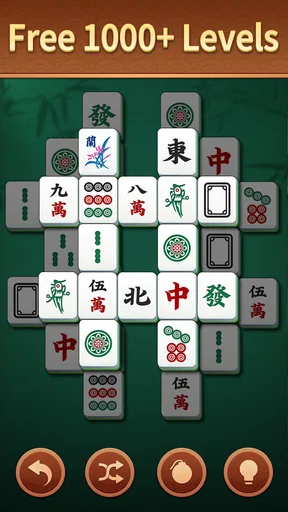
- Multiple layouts can provide variety and replay value.
- Offline play may be convenient when traveling or away from Wi-Fi.
Cons
- Some levels may feel repetitive after extended play.
- Small interface controls could still challenge users with limited dexterity.
- Hints or undo options may reduce the game's strategic challenge.
- Ads can interrupt the experience in the free version.
- Performance may vary on older phones or tablets.
FAQs for Toki Mahjong Games For Seniors
What is Toki Mahjong Games For Seniors?
Toki Mahjong Games For Seniors is a casual tile-matching game designed with older players in mind. It uses the familiar mahjong solitaire format, where you remove matching pairs of free tiles from the board. The presentation generally focuses on clear layouts, relaxed pacing, and straightforward controls, making it suitable for players who want a simple brain-training activity rather than a competitive or fast-action game.
Is Toki Mahjong Games For Seniors easy for older adults to use?
The game is intended to be accessible for seniors, with a simple tap-based interface and rules that can be understood quickly. Tile visibility, spacing, and menu navigation are important factors, especially for users with limited eyesight or less experience with mobile games. Before downloading, it is worth checking the screenshots and device requirements to confirm that the text, icons, and tile designs are comfortable for you.
Can I play Toki Mahjong Games For Seniors without an internet connection?
Mahjong solitaire games commonly support offline play, which makes them convenient for travel, waiting rooms, or areas with an unreliable connection. However, some versions may require internet access for advertisements, analytics, updates, or optional features. Because availability can vary by platform and app version, check the store listing after installation if offline access is essential to you, particularly before relying on the game away from home.
Does Toki Mahjong Games For Seniors include hints, shuffle options, or different difficulty levels?
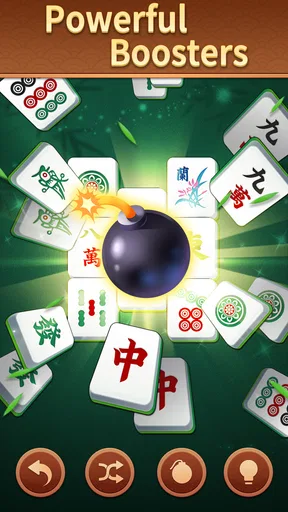
Helpful features such as hints, tile shuffling, undo actions, multiple layouts, and adjustable difficulty can make a mahjong game more enjoyable for beginners and seniors. They are especially useful when no matching move is immediately visible or when a board becomes difficult to solve. The exact tools may depend on the version installed, so review the in-game menus and store description to see which assistance options are included.
Is Toki Mahjong Games For Seniors free to download, and does it contain ads?
The app may be available as a free download, but free mobile games often include advertising, optional purchases, or both. Ads can appear between rounds or while using certain assistance features, depending on the version and platform. Before downloading, review the Google Play or App Store listing for pricing, in-app purchase details, privacy information, and supported devices so you know what to expect.


